Live scoring
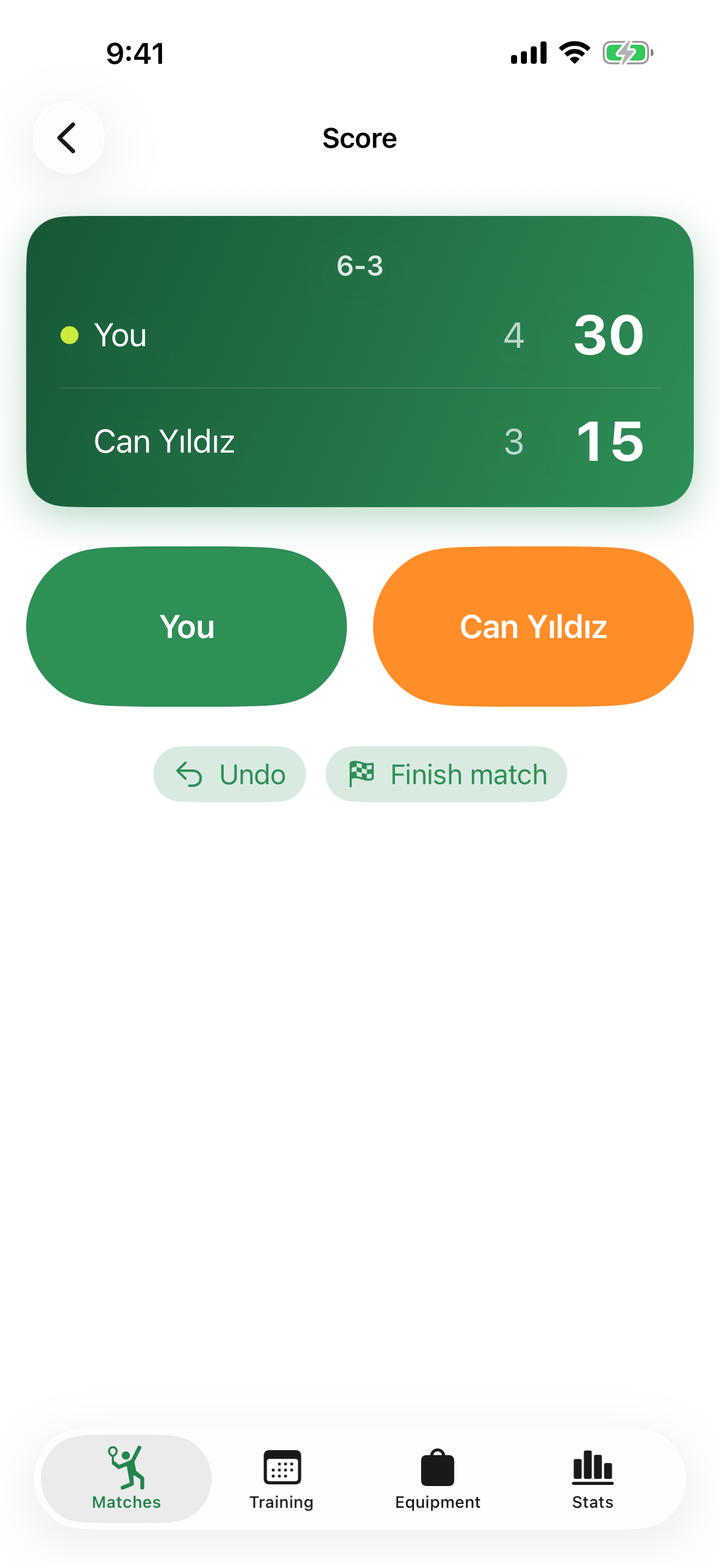
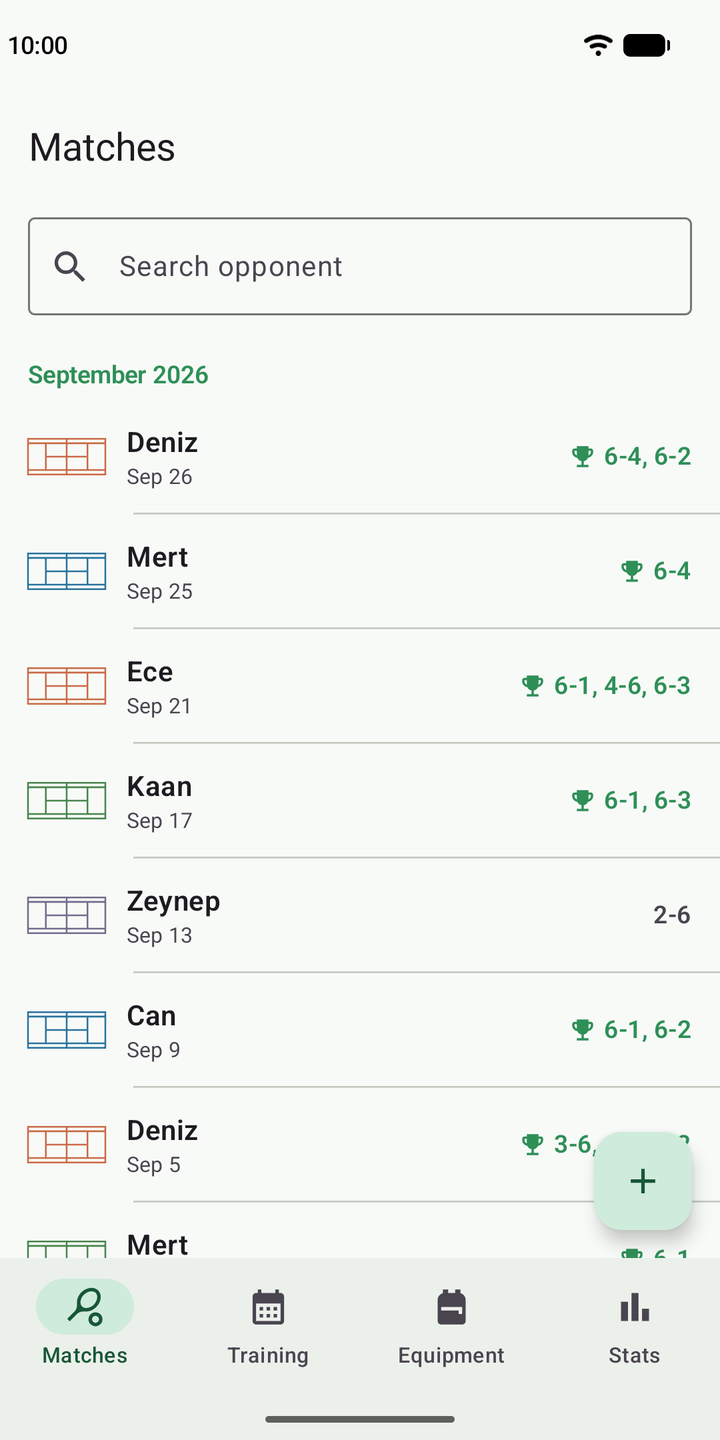
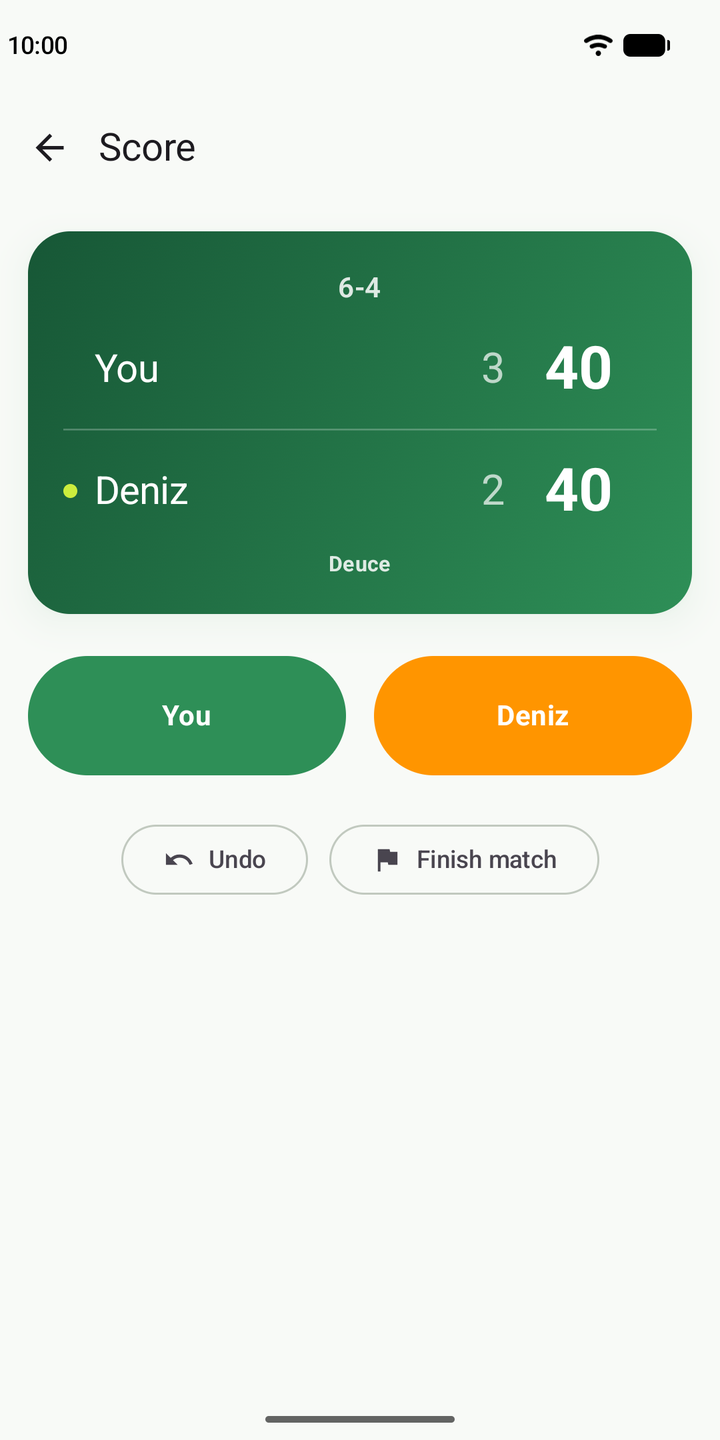
Quick or point-by-point. Deuce, tie-break, no-ad, match tie-break, best-of-1/3 — the rules are handled for you. Tapped the wrong side? Undo it; when the match ends, your score card is ready.
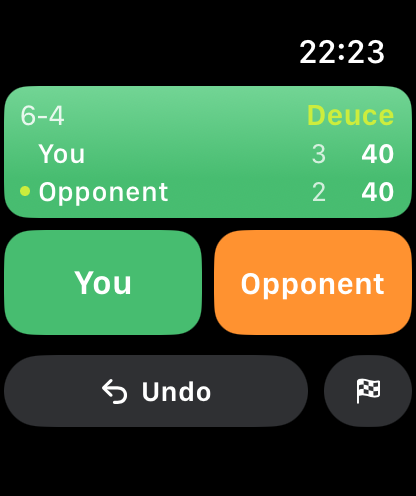
Keep live score on court, track your training and gear life, and improve your game with real stats. Score from your wrist with Apple Watch or Wear OS.
Free. No account needed.
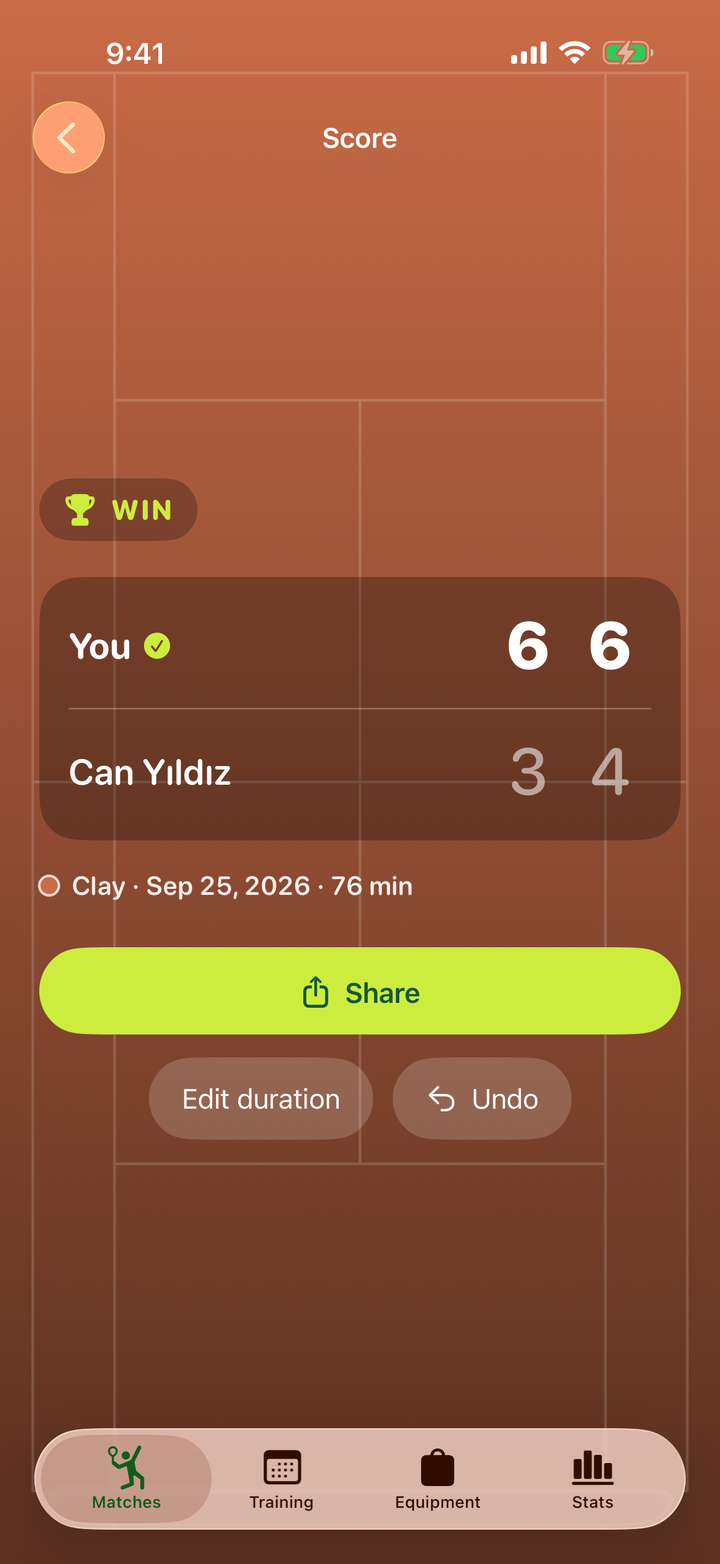
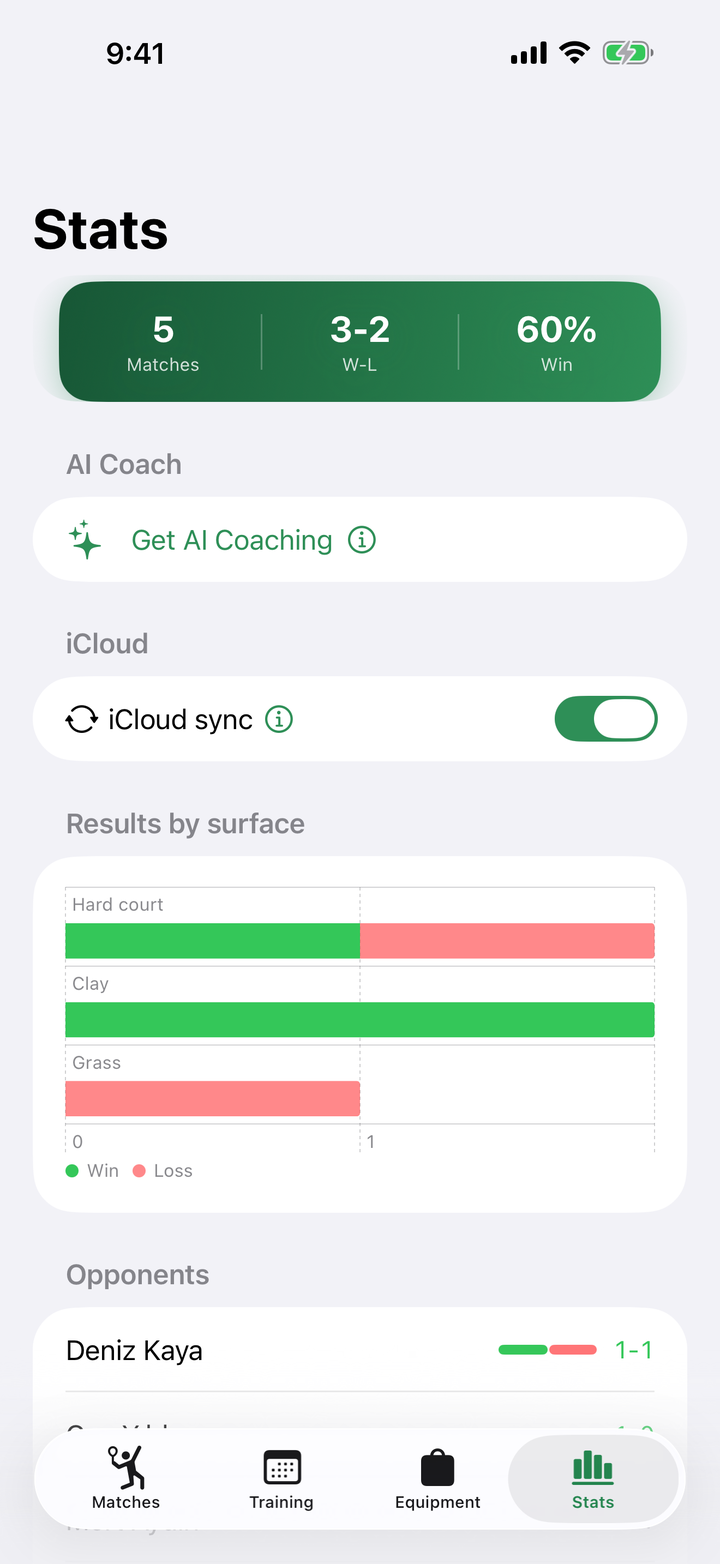
Matches, training and gear — all in one place, connected.
Quick or point-by-point. Deuce, tie-break, no-ad, match tie-break, best-of-1/3 — the rules are handled for you. Tapped the wrong side? Undo it; when the match ends, your score card is ready.
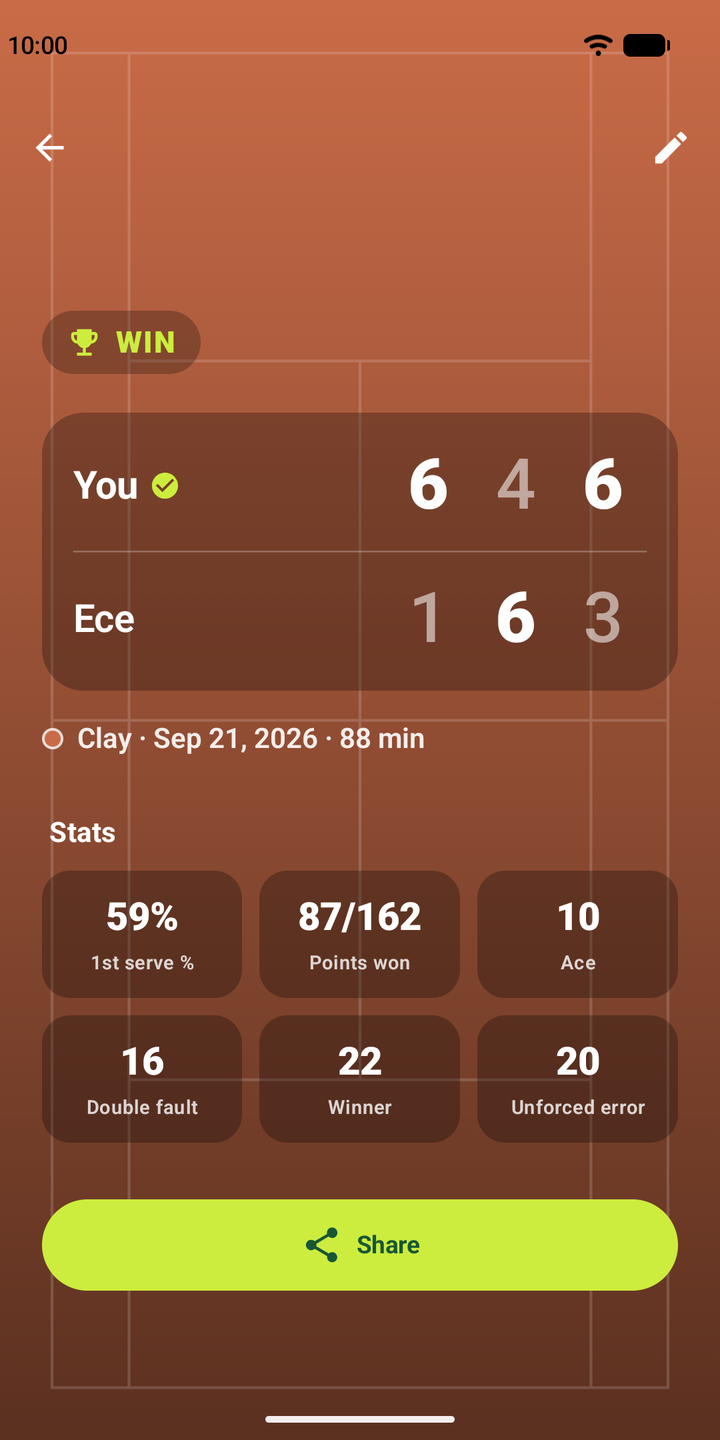
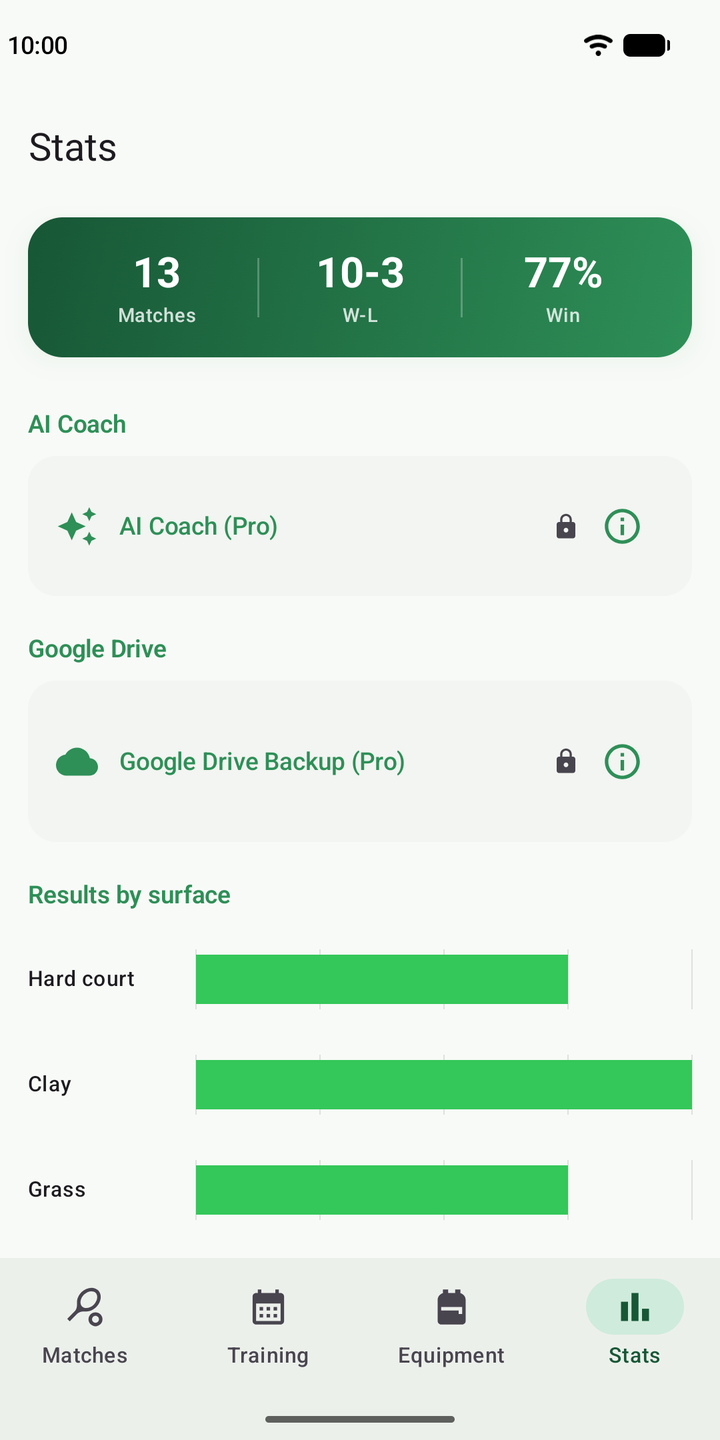
Win rate, form by surface, head-to-head, first-serve percentage and error split. It builds itself as you score.
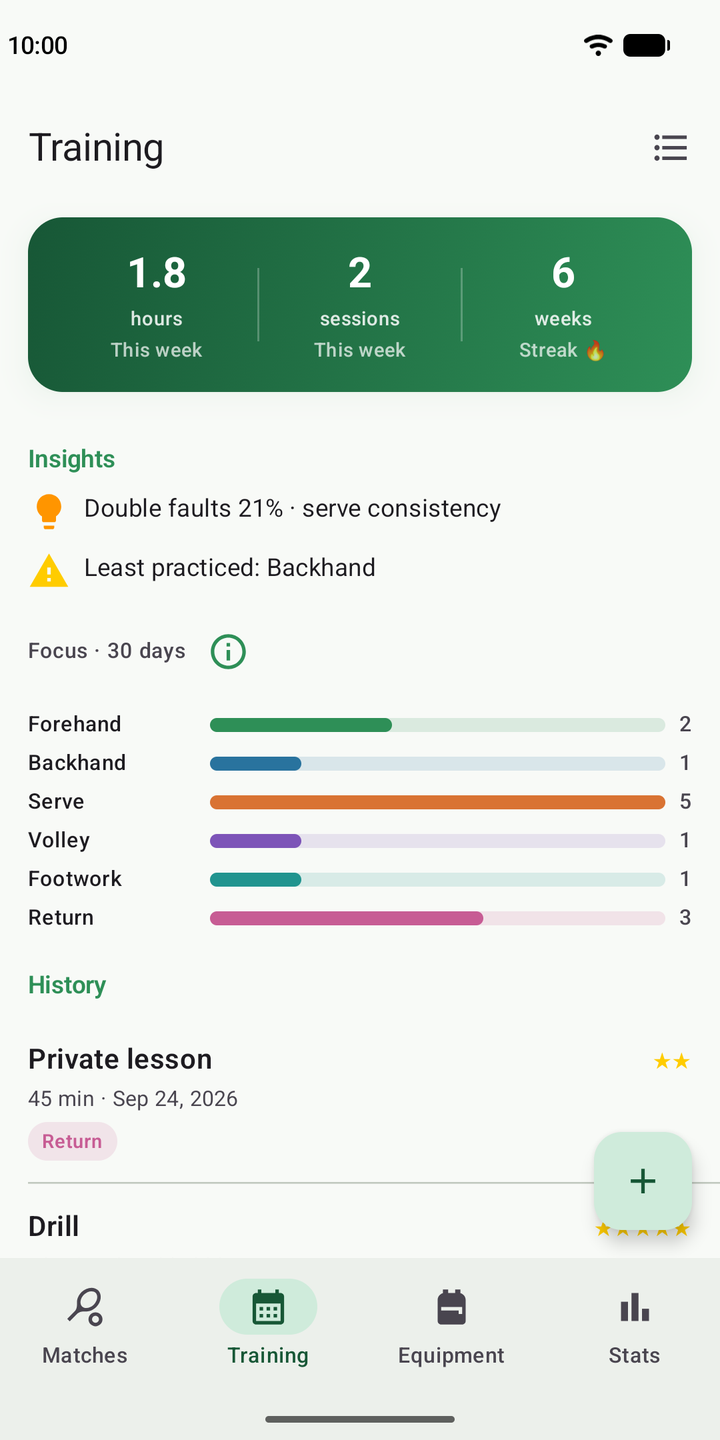
Focus areas, drills, feel rating and weekly streak. See what you've been working on — and what you've been skipping.
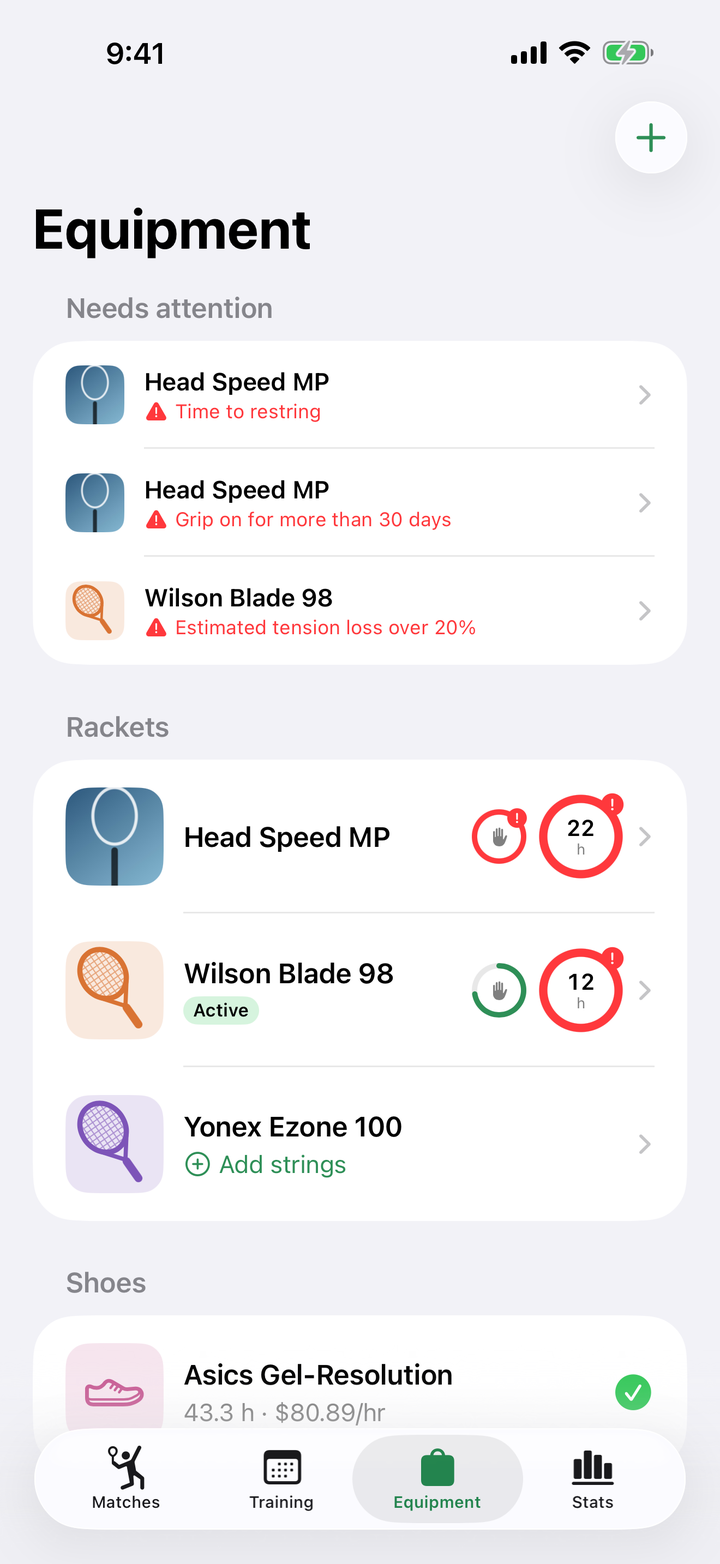
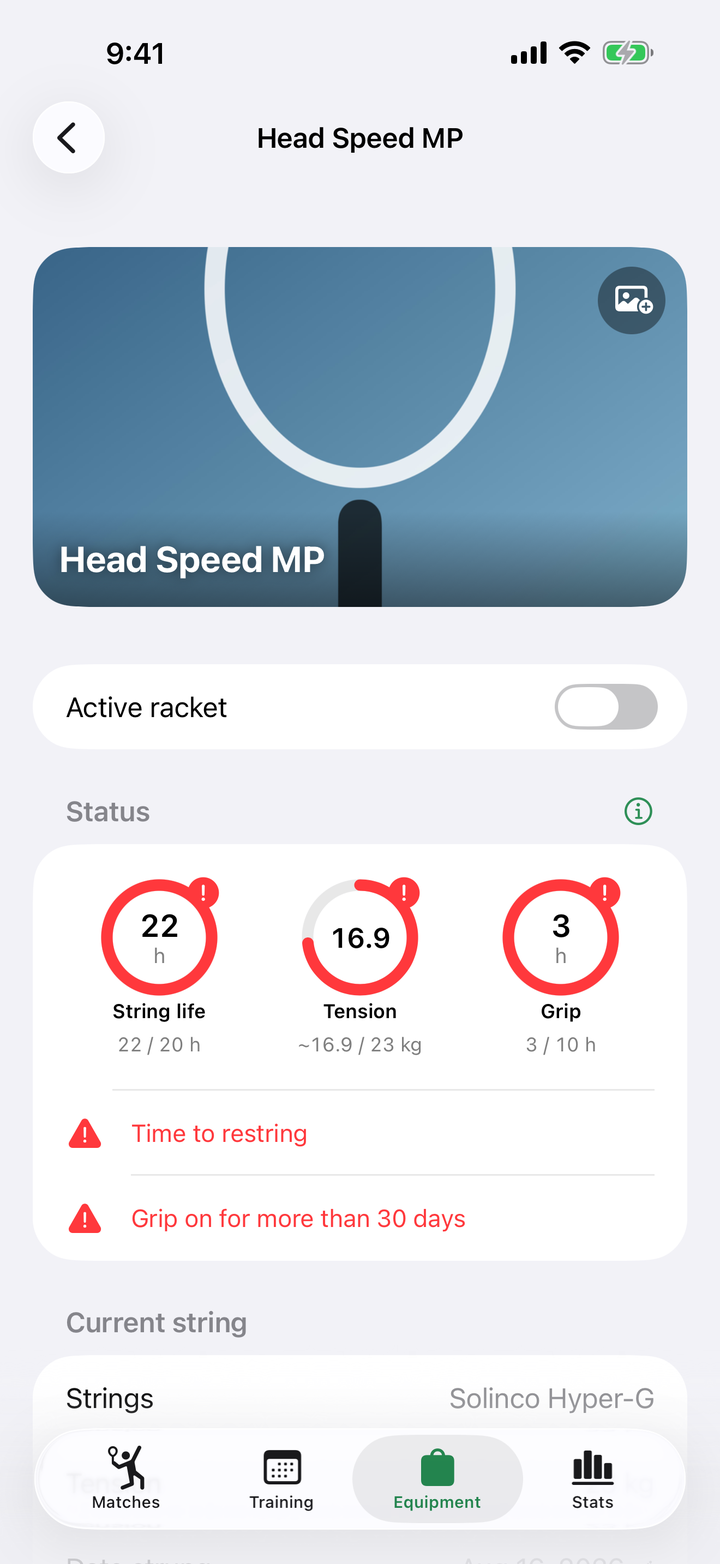
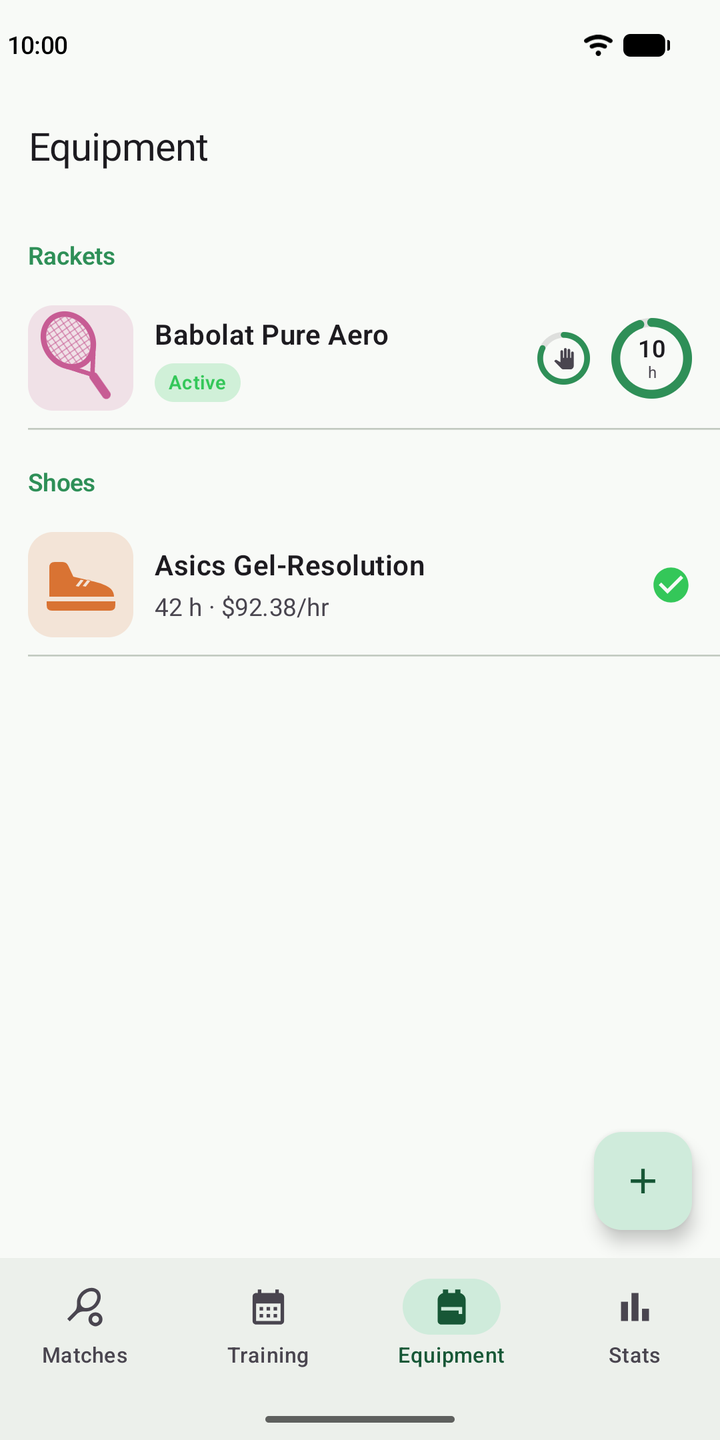
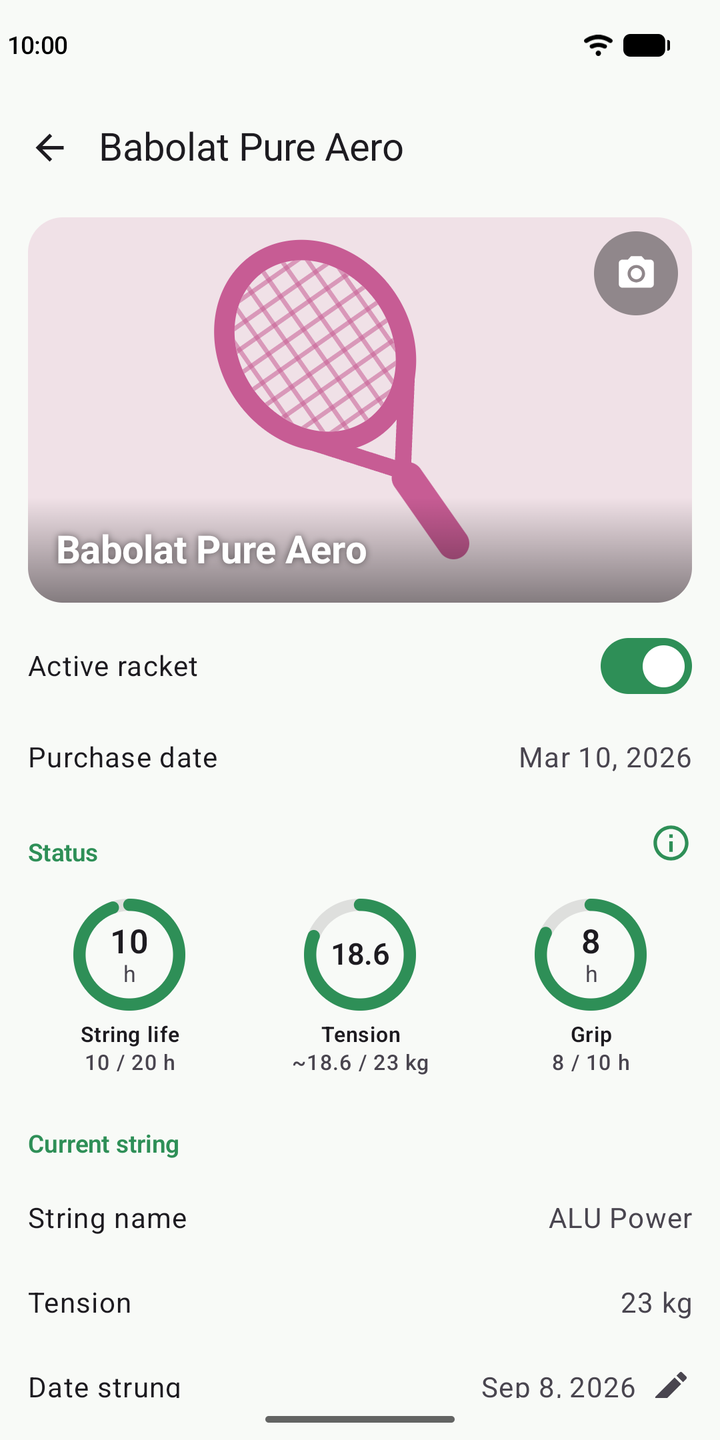
Add a photo of your racket; string, grip and shoe life fill up in rings as you play. What needs replacing sits on top, with a reminder for grips older than 30 days and cost-per-hour analysis.
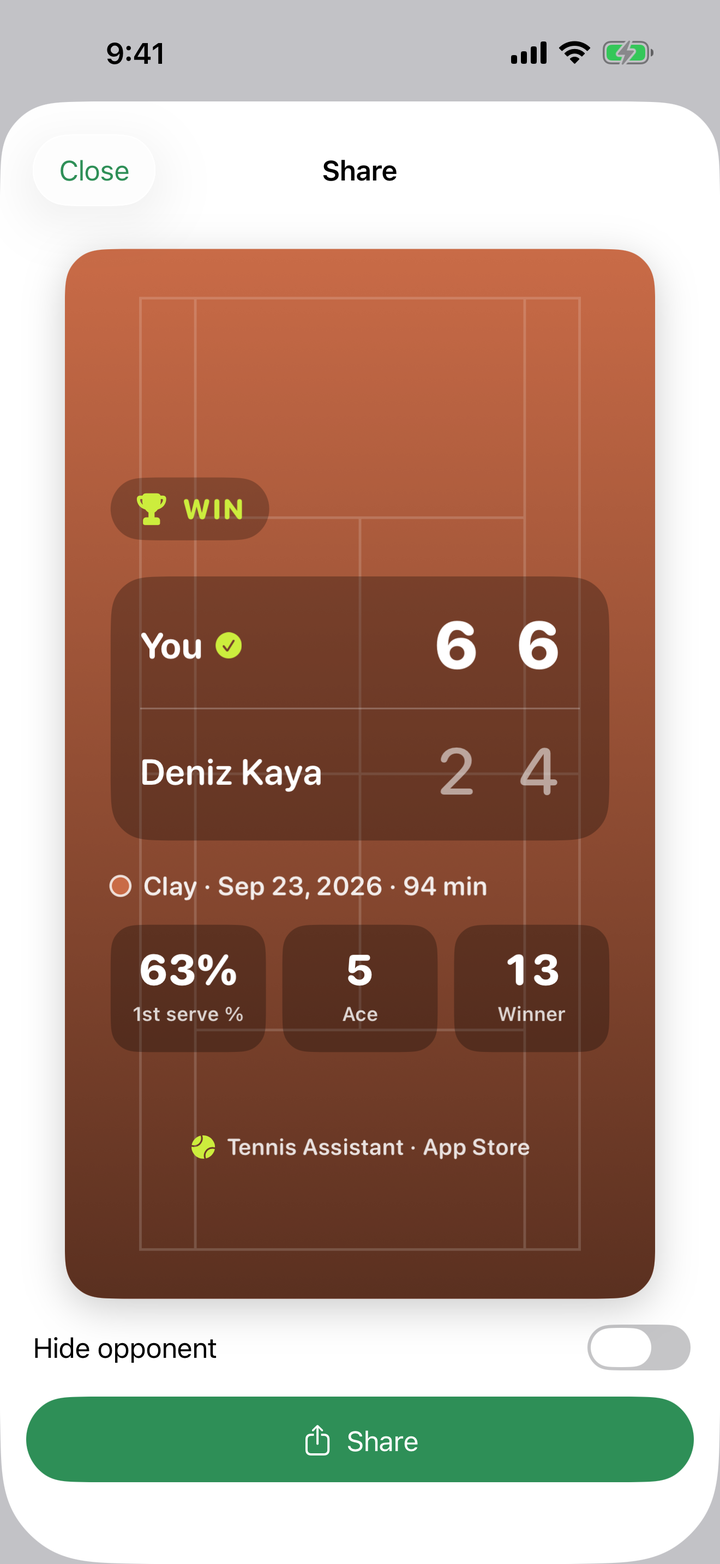
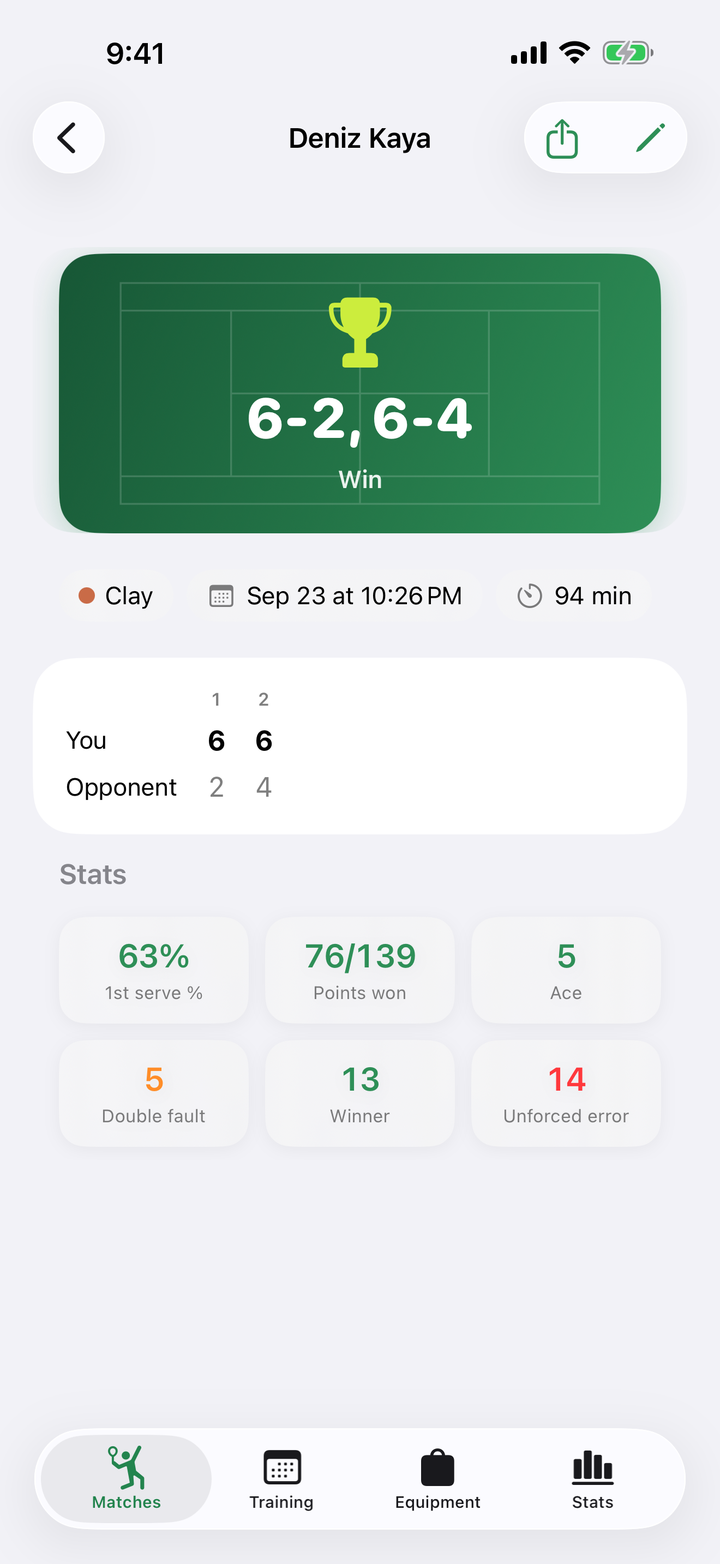
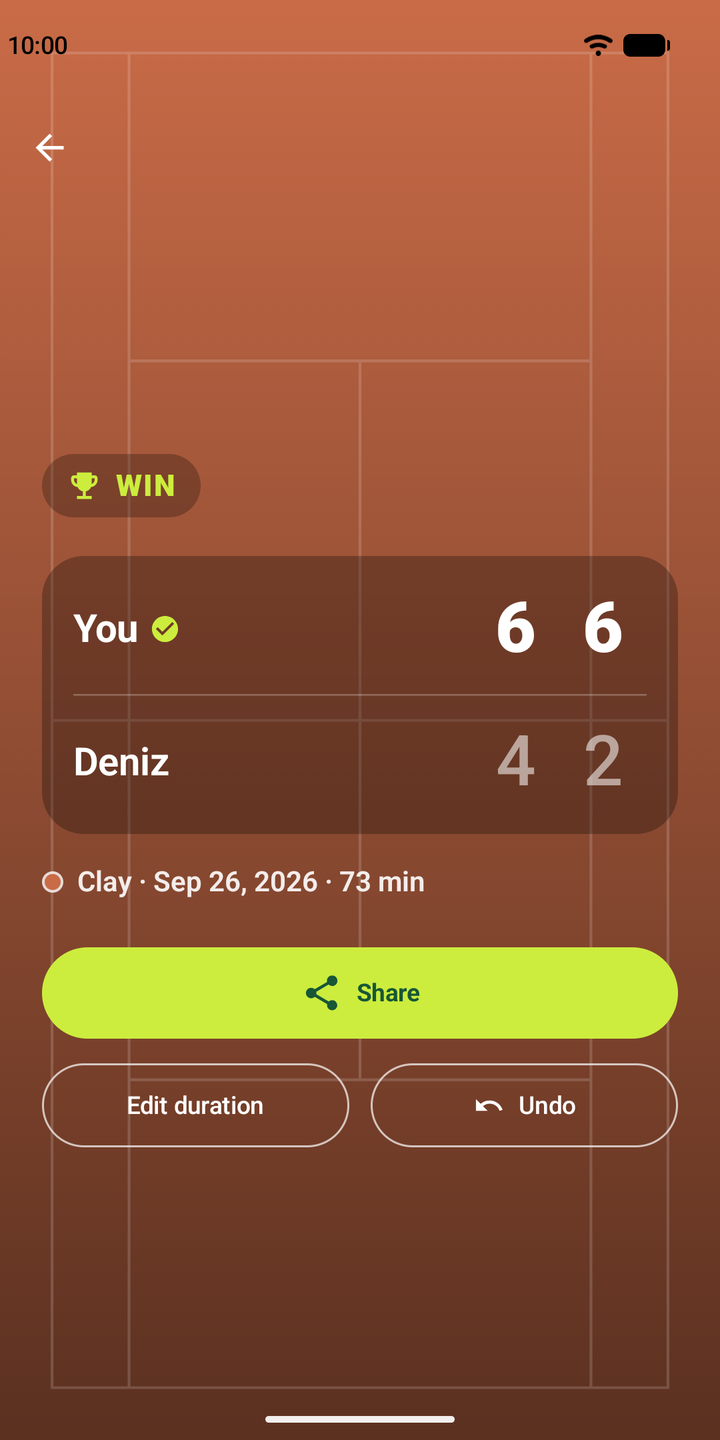
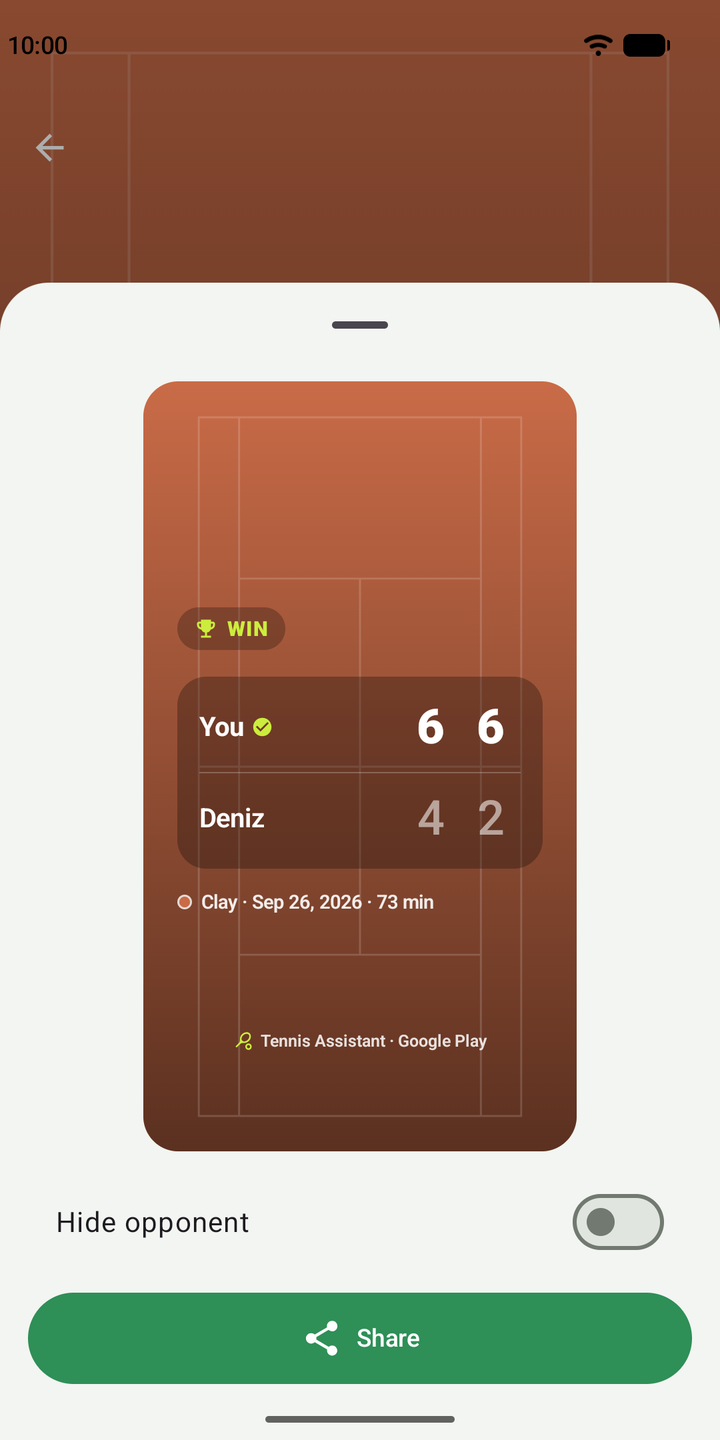
When a match ends, a court-colored score card is ready: set scores, result, duration and stats. 9:16, made for Instagram Stories and WhatsApp.
Swipe to browse.
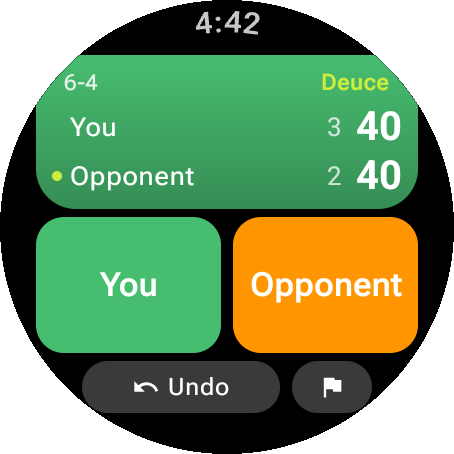
Log points from your wrist; the watch applies the rules, shows the score and sends the match to your phone in the background. No reaching for your pocket on court.
By default the app sends nothing to the internet. No account, no tracking, no ads.
Download, open, play. No email or password required.
No third-party analytics, ad networks or advertising identifier (IDFA / Advertising ID).
AI Coaching sends aggregate numbers only; your notes and opponent names never leave your device.
The free version is complete. Pro is an optional add-on for players who analyze their game.
Try free for 7 days — cancel anytime.
Download the appSubscriptions are managed through the App Store or Google Play. Cancelling never deletes your data — only the Pro features switch off. Prices may vary by region and store.
No. The app works without one, and by default your data stays on your device only.
Best-of-1 and best-of-3 sets, standard and no-ad games, set tie-breaks and a match tie-break in place of the deciding set. Enter points one by one or just game results.
No. The watch app is a companion; the phone does everything on its own. If you have an Apple Watch or a Wear OS watch, you can keep score from your wrist.
Only aggregate numbers: your match results, scores, court surface and training summary counts. Your notes are not sent, and opponent names are replaced with a pseudonym before leaving the device.
No. The card is created on your device; tapping Share opens your phone's share menu and you send it to the app you choose (Instagram, WhatsApp…). You can hide your opponent's name before sharing.
On iPhone: Settings → your Apple Account → Subscriptions → Tennis Assistant Pro. On Android: Google Play → Payments & subscriptions → Subscriptions. Pro stays active until the end of the period; your data is never deleted.
iPhones on iOS 17 and later (the Apple Watch companion needs watchOS 10 and later) and Android phones on Android 8.0 and later (the Wear OS companion needs Wear OS 3 and later). There is no tablet-specific interface.
Not for now. Sync works between devices on the same platform: iCloud between iPhones, Google Drive between Android devices. A Pro subscription is also tied to the store you bought it from.
Didn't find your answer? Support page · bayrammcan17@gmail.com